Editing Orders > Sending Receipts
Sending Receipts and Invoices
You can send print or send e-mail invoices directly from the Order Manager! Open the Order in the Order Manager. When the order opens, by default you are on the Summary Page window. Contact ePayTrak personnel to configure a suitable e-mail template prior to usage.
To Send an Invoice for an Unpaid Order:
If you regularly accept unpaid orders, a great new feature is sending an invoice directly from the Order Manager.
-
From the Summary screen, click the down arrow and select E-mail invoice.

-
Click the blue arrow.
-
You see the next screen with a red notice of Invoice Sent.

You can print an invoice if the customer is present.
To Print an Invoice
If you need print an invoice, select the Print Invoice from the drop-down choices and click the Blue go Arrow. Click the Print button and the invoice is printed.

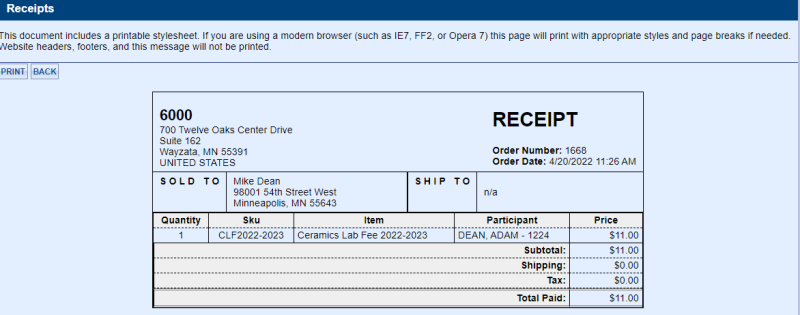
To Print a Receipt
If you need to print a receipt, Select the Print Receipt from the drop-down and click the Go button. Then click the Print button from this page to print a physical receipt for a customer.
Related Topics:
-
Edit a User - Steps on how to edit a User's customer profile.
-
Edit Order Items - When and how to edit order items.
2022 © Edutrak Software, LLC