Ticket Events > Door Control
Door Control
If you have sold General Admission or Reserved tickets, you may want to use the Door Control section of Web mPOS.
Most USB scanners are compatible with our Web based mPOS.
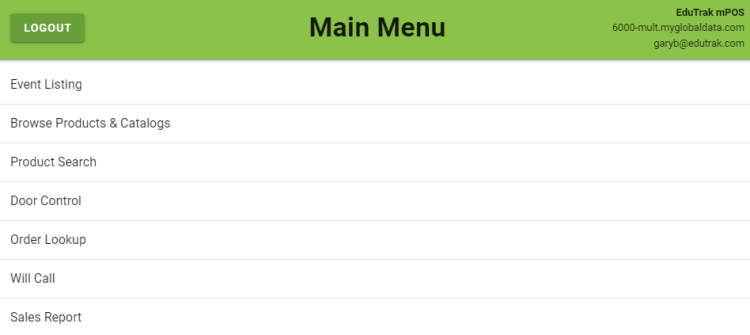
Click Door Control on the Main Menu. You see this screen.
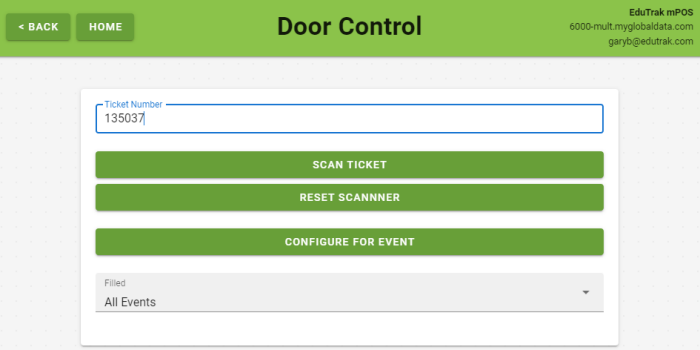
To configure a camera or other device please contact EduTrak personnel at support@myglobaldata.com.
You don't need a scanner to use Door Control, it's very easy to manually enter the Ticket Number.
Enter the Ticket Number from the bar code ticket and click Scan Ticket.
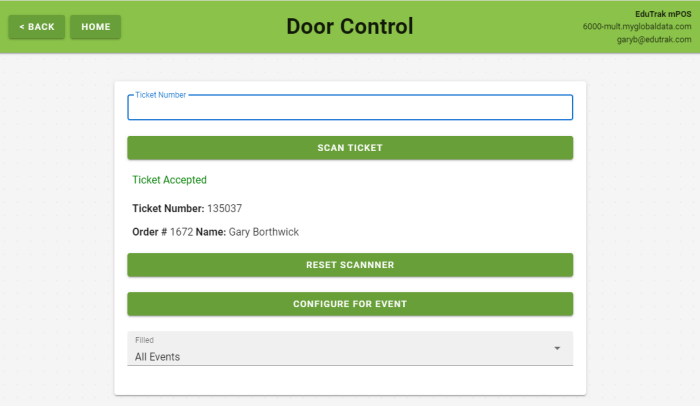
The message in the center indicates Ticket Accepted.
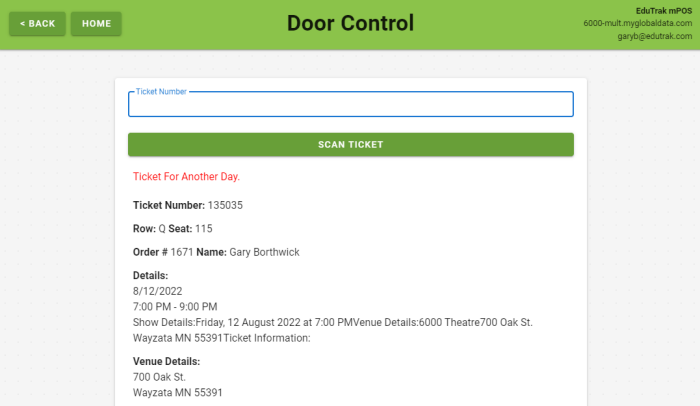
If the ticket if for another day, you will see a message as shown below.
And you can operate the mPOS on almost any device. No more iOS requirements and separate items to purchase.
Related Topics:
-
Guest Checkout - Steps for a guest to checkout with a ticket event.
-
Web mPOS - How to place orders on Event Day.
2022 © Edutrak Software, LLC